
Choose a theme
Select Light or Dark mode and an available personal color preset.
Outcome: Change your personal appearance without changing another member's settings.
For: Signed-in WanAware members
Permission: Signed-in user; no company-administration permission is required
Time: About 2 minutes
Changes made: Changes your personal display preference
If you're stuck
- Theme Settings changes only your account's display.
- Use Light or Dark for contrast first, then choose an assigned or color theme.
- If a preset makes controls difficult to read, return to the drawer immediately and select the prior preset.
Before you start
Theme changes affect your view. They do not change company data or another member's preference.
Option guide
| UI item | Purpose | Result |
|---|---|---|
| Light | Uses the light appearance | Tables, cards, and navigation use light surfaces |
| Dark | Uses the dark appearance | Tables, cards, and navigation use dark surfaces |
| Assigned Themes | Uses company-assigned presets | The selected assigned palette is applied to your view |
| Color Themes | Uses the standard preset list when no assigned set is shown | The selected color palette is applied to your view |
Choose the appearance
- Select Theme Settings.
- Choose Light or Dark mode.
- Under Assigned Themes or Color Themes, select the intended preset.
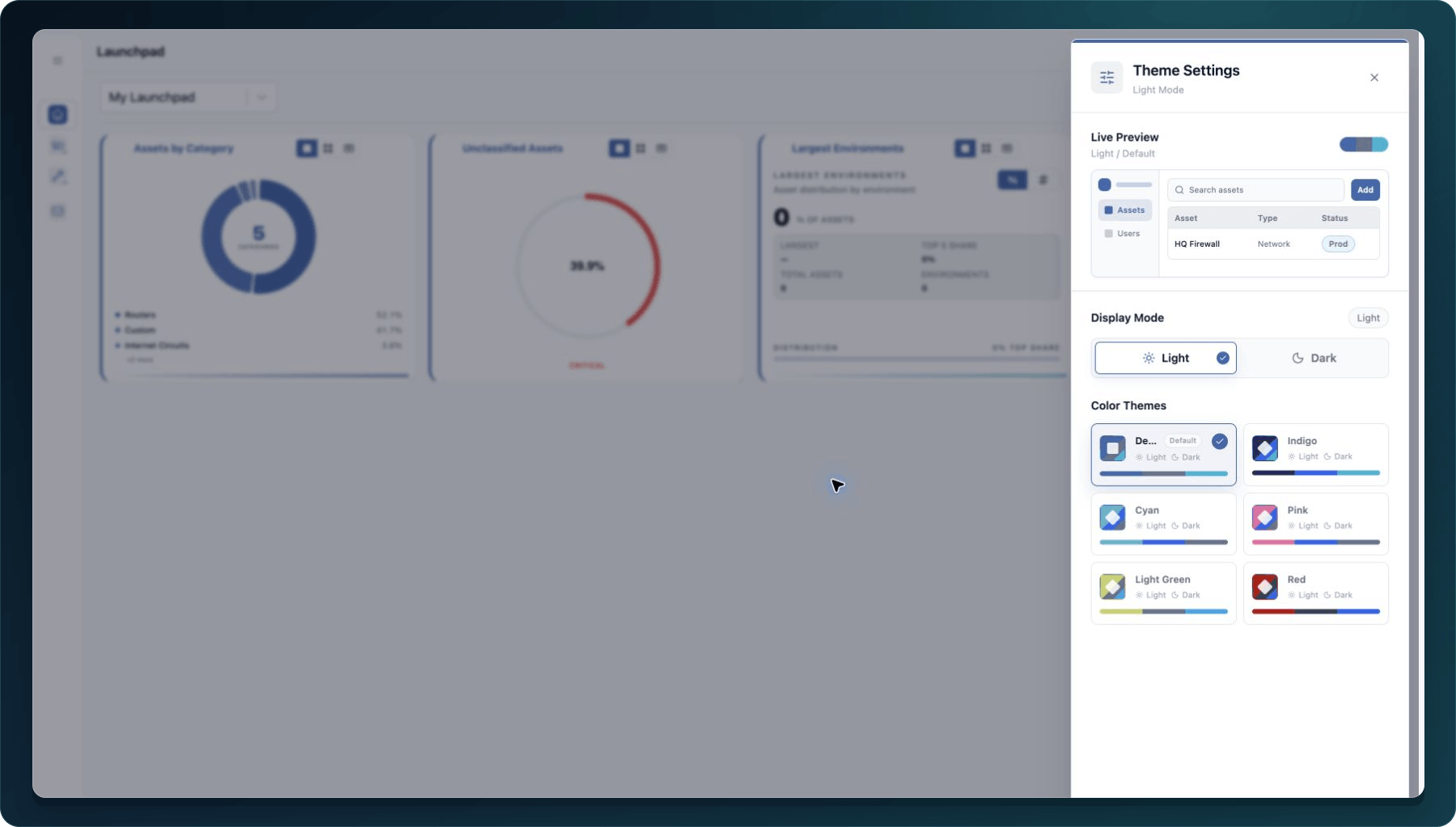
- Close the Theme Settings panel.
Expected result: The Portal updates immediately and keeps your selection when you move to another page.
If the selected preset makes text difficult to read, return to Theme Settings and choose another preset.
Check your result
Open Assets and Administration, then confirm text, controls, tables, and dialogs remain readable. Refresh once and verify the theme persists.
Undo this change
Open Theme Settings and choose the previous mode and preset.
Learn and continue
- Learn: Product map and terminology
- In WanAware: Select Theme Settings in your WanAware workspace.
Next steps
Get help
Email [email protected] with your company, affected user, selected mode and preset, browser, page URL, timestamp and time zone, and a screenshot. Never send passwords, credentials, tokens, or secret values.
Updated about 2 months ago